 LibreChat
Auth0
Learn how to configure LibreChat to use Auth0 for user authentication.
Archived documentation
You are reading the frozen documentation for v0.8.7, which is no longer maintained. Go to the latest docs.
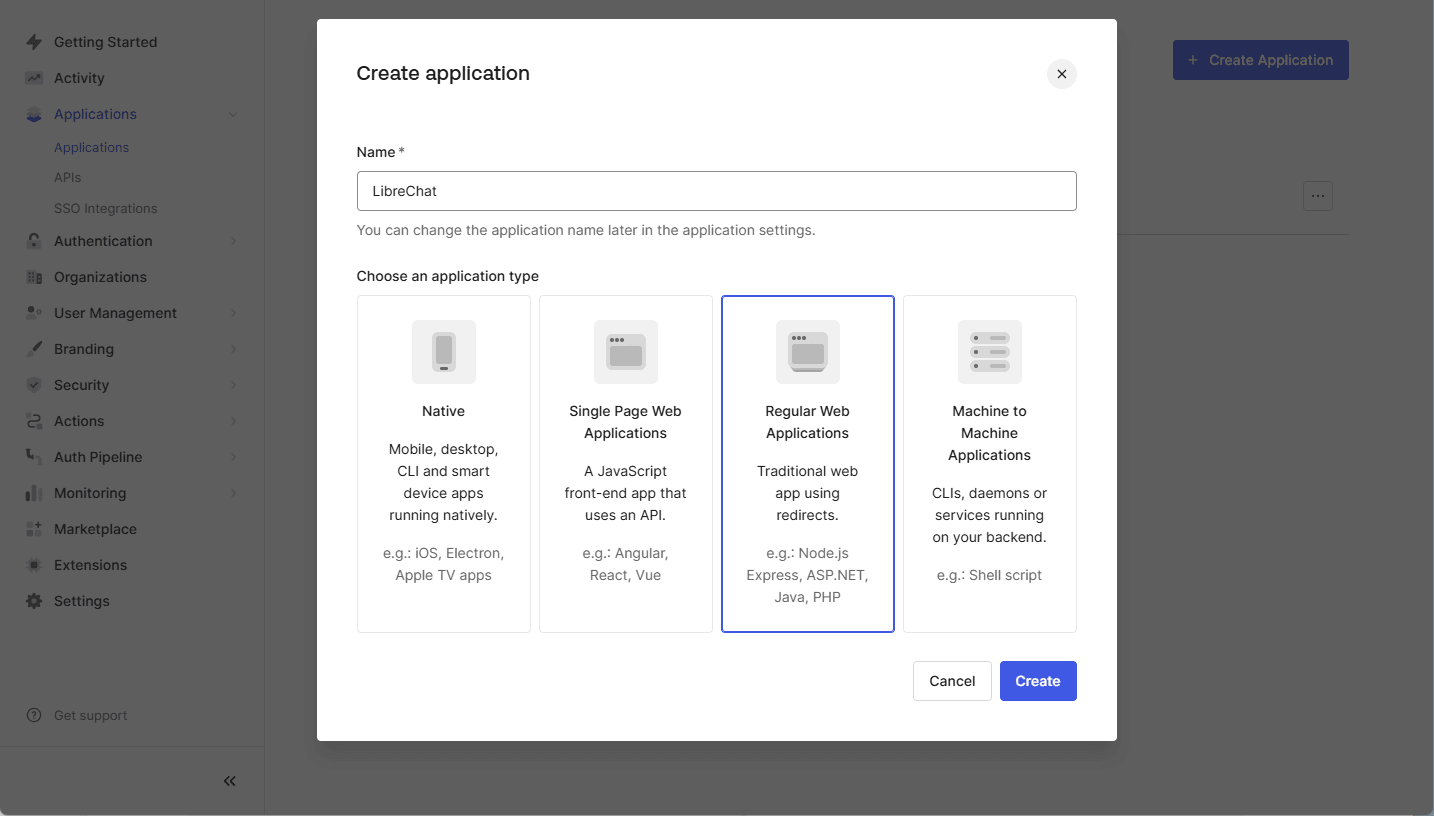
Step 1: Create a SAML Application in Auth0
- Log in to your Auth0 Dashboard.
- Navigate to
Applications > Applications. - Click
Create Application. - Enter an Application Name (e.g.,
LibreChat) and selectRegular Web Application. - Click
Create.
Step 2: Configure the SAML Add-On
- Open the newly created application in Auth0.
- Go to the
Addonstab. - Click the slider to enable the
SAML2 Web App. - Click
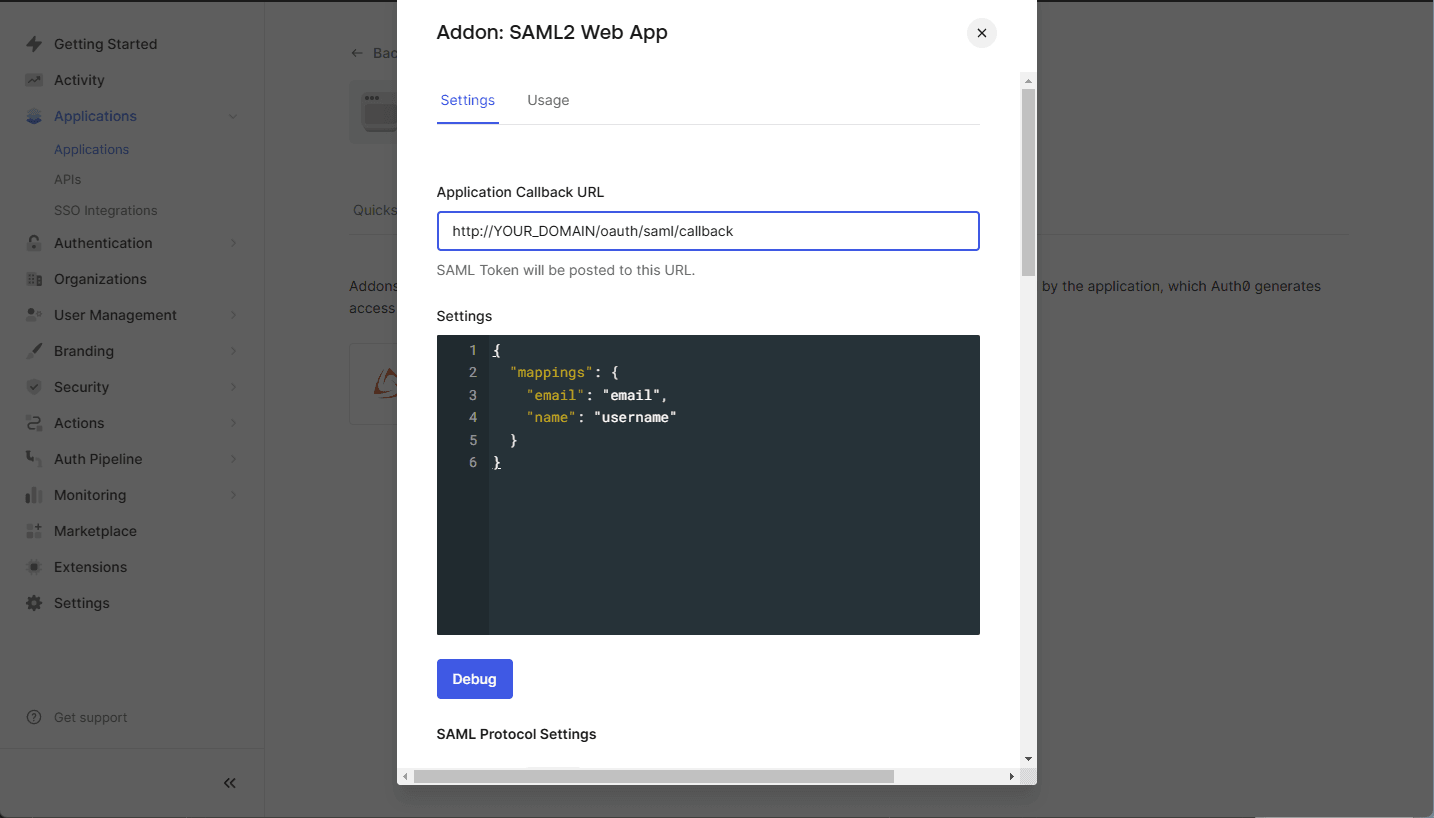
SAML2 Web Apppanel. - Configure the following settings:
- Application Callback URL: Set this to your LibreChat SAML callback URL:
https://YOUR_DOMAIN/oauth/saml/callback - Settings (JSON Format): Use the following configuration:
{
    "mappings": {
        "email": "email",
        "name": "username"
    }
}
note
If your application requires additional attributes such as
given_name,family_name,usernameorpicture, ensure these mappings are properly configured in the Auth0 SAML settings.
- Application Callback URL: Set this to your LibreChat SAML callback URL:
- Click
Save.

Step 3: Obtain the Auth0 SAML Metadata
- Once SAML is enabled, go back to the
SAML2 Web Appsettings. - Go to the
Usagetab. - Click on
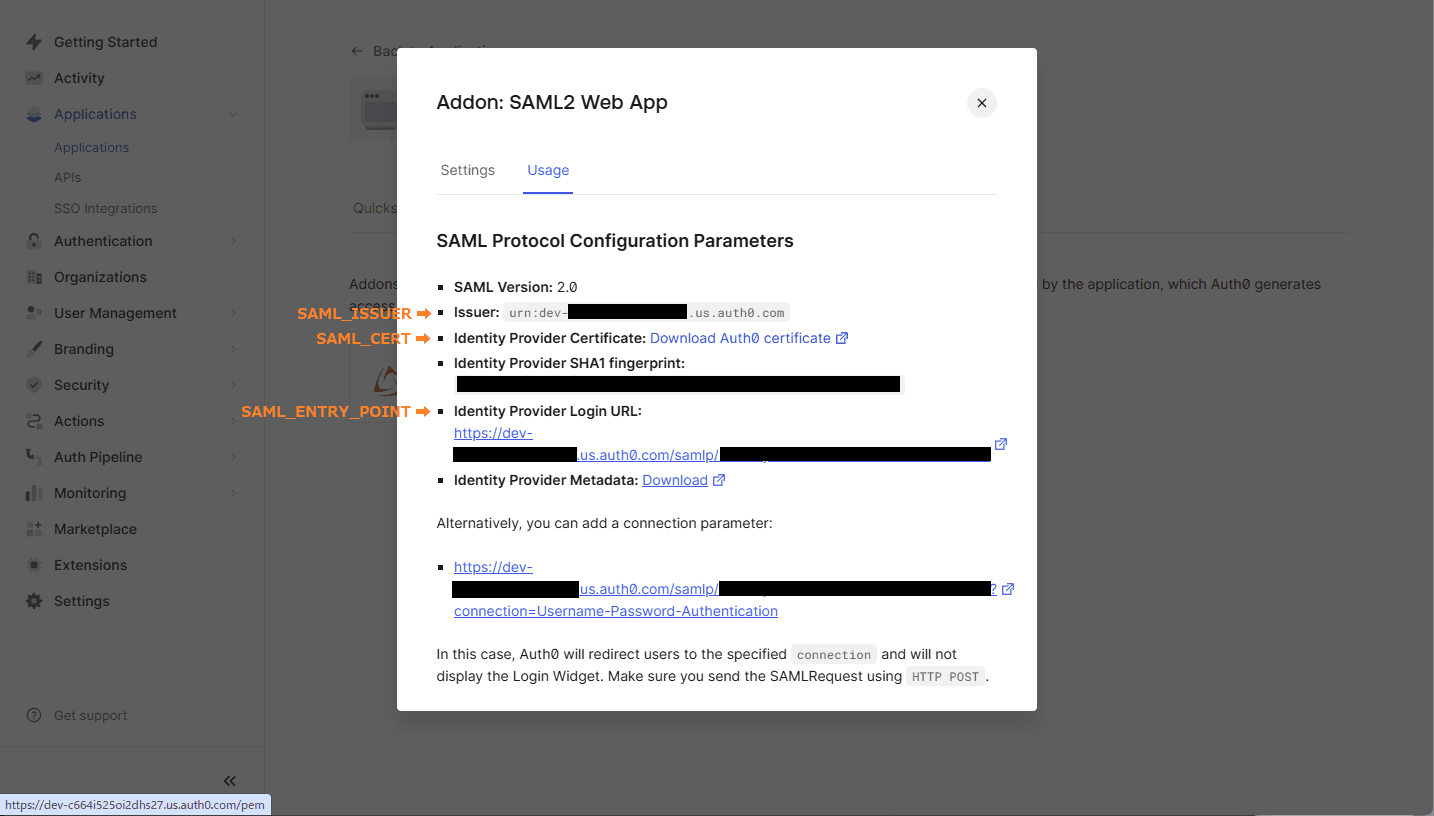
Identity Provider Certificate: Download Atuh0 certificate. - Use the
IssuertoSAML_ISSUER - Use the
Identity Provider Login URLtoSAML_ENTRY_POINT. - Copy the donwloaded cert file to your project folder
Step 4: Configure LibreChat with SAML
Open the .env file in your project folder and add the following variables:
SAML_ENTRY_POINT=https://dev-xxxxx.us.auth0.com/samlp/aaaaaa
SAML_ISSUER=urn:dev-xxxxx.us.auth0.com
SAML_CERT=dev-xxxxx.pem
SAML_CALLBACK_URL=/oauth/saml/callback
SAML_SESSION_SECRET=[JustGenerateARandomSessionSecret]

# Attribute mappings (optional)
SAML_EMAIL_CLAIM=
SAML_USERNAME_CLAIM=
SAML_GIVEN_NAME_CLAIM=
SAML_FAMILY_NAME_CLAIM=
SAML_PICTURE_CLAIM=
SAML_NAME_CLAIM=

# Logint buttion settings (optional)
SAML_BUTTON_LABEL=
SAML_IMAGE_URL=

# Whether the SAML Response should be signed.
# - If "true", the entire `SAML Response` will be signed.
# - If "false" or unset, only the `SAML Assertion` will be signed (default behavior).
# SAML_USE_AUTHN_RESPONSE_SIGNED=