 LibreChat
Azure AI Search
How to configure Azure AI Search for answers to your questions with assistance from GPT.
Azure AI Search is a built-in agent tool that lets an agent query your Azure AI Search index and use the returned documents in its answer.
Configuration
Required
To get started, you need an Azure AI Search endpoint URL, index name, and API key. Define them in your .env file:
AZURE_AI_SEARCH_SERVICE_ENDPOINT="..."
AZURE_AI_SEARCH_INDEX_NAME="..."
AZURE_AI_SEARCH_API_KEY="..."
AZURE_AI_SEARCH_SERVICE_ENDPOINT
This is the URL of the search endpoint. It can be obtained from the top page of the search service in the Cognitive Search management console (e.g., https://example.search.windows.net).
AZURE_AI_SEARCH_INDEX_NAME
This is the name of the index to be searched (e.g., hotels-sample-index).
AZURE_AI_SEARCH_API_KEY
This is the authentication key to use when utilizing the search endpoint. Please issue it from the management console. Use the Value, not the name of the authentication key.
Introduction to tutorial
Create or log in to your account on Azure Portal
1. Visit https://azure.microsoft.com/en-us/ and click on Get started or Try Azure for Free to create an account and sign in.
2. Choose pay per use or Azure Free with $200.

Create the Azure AI Search service
1. Access your control panel.
2. Click on Create a resource.

3. Search for Azure Search in the bar and press enter.
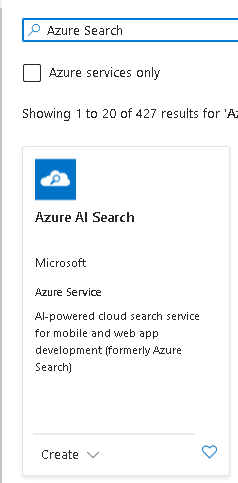
4. Now, click on Create.
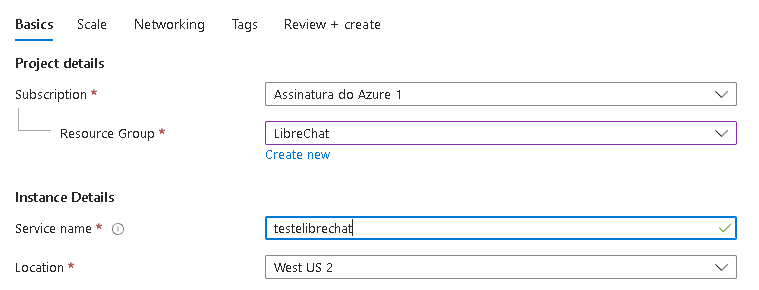
5. Configure the basics settings, create a new or select an existing Resource Group, name the Service Name with a name of your preference, and then select the location.
6. Click on Change Pricing Tier.

Now select the free option or select your preferred option (may incur charges).

7. Click on Review + create and wait for the resource to be created.

Create your index
1. Click on Import data.

2. Follow the Microsoft tutorial: https://learn.microsoft.com/en-us/azure/search/search-get-started-portal, after finishing, save the name given to the index somewhere.
3. Now you have your AZURE_AI_SEARCH_INDEX_NAME, copy and save it in a local safe place.
Get the Endpoint
1. In the Url: you have your AZURE_AI_SEARCH_SERVICE_ENDPOINT, copy and save it in a local safe place.
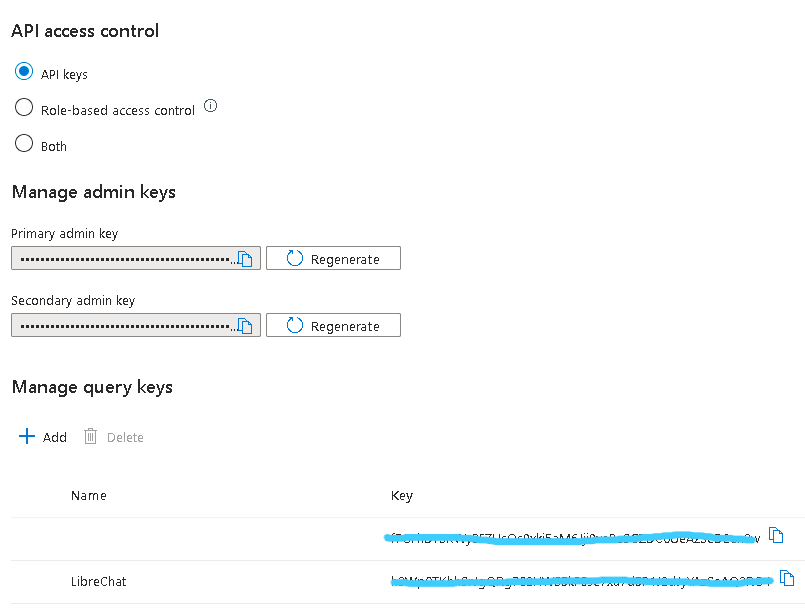
2. On the left panel, click on keys.

3. Click on Add and insert a name for your key.
4. Copy the key to get AZURE_AI_SEARCH_API_KEY.
Add the Tool to an Agent
After adding the environment variables, restart LibreChat and add Azure AI Search to an agent.
| Deployment | Command |
|---|---|
| Docker | docker compose down && docker compose up -d |
| Local | Stop the server, then run npm run backend again |
In LibreChat, select Agents, create or edit an agent, open the agent's Tools list, select Azure AI Search, and save the agent.
Test It
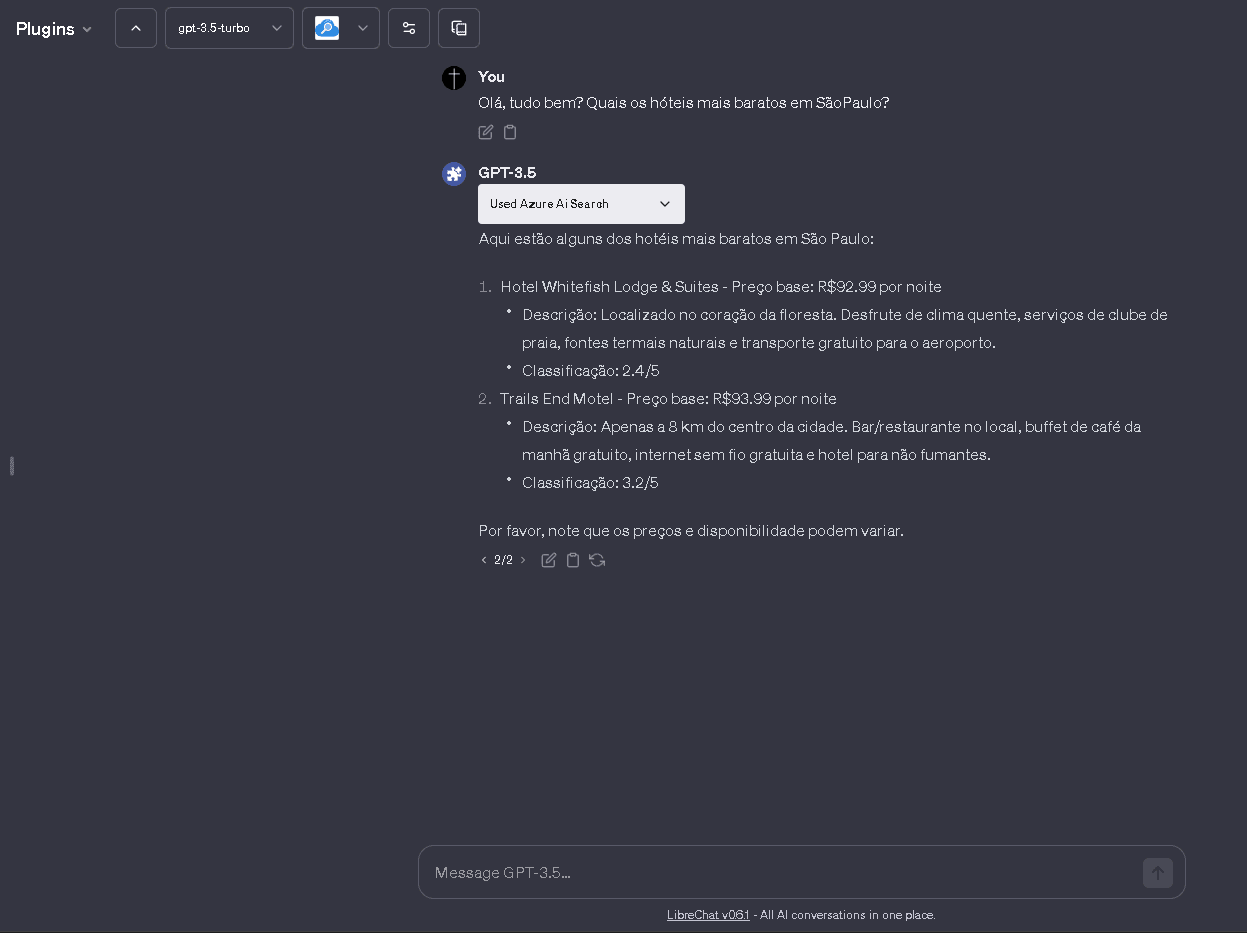
Ask the agent a question that should be answered by your Azure AI Search index. If the tool returns too much content, tune AZURE_AI_SEARCH_SEARCH_OPTION_TOP and AZURE_AI_SEARCH_SEARCH_OPTION_SELECT.
Optional
The following are configuration values that are not required but can be specified as parameters during a search.
If there are concerns that the search result data may be too large and exceed the prompt size, consider reducing the size of the search result data by using AZURE_AI_SEARCH_SEARCH_OPTION_TOP and AZURE_AI_SEARCH_SEARCH_OPTION_SELECT.
For details on each parameter, please refer to the following document: https://learn.microsoft.com/en-us/rest/api/searchservice/search-documents
AZURE_AI_SEARCH_API_VERSION=2023-10-01-Preview
AZURE_AI_SEARCH_SEARCH_OPTION_QUERY_TYPE=simple
AZURE_AI_SEARCH_SEARCH_OPTION_TOP=3
AZURE_AI_SEARCH_SEARCH_OPTION_SELECT=field1, field2, field3
AZURE_AI_SEARCH_API_VERSION
Specify the version of the search API. When using new features such as semantic search or vector search, you may need to specify the preview version. The default value is 2023-11-01.
AZURE_AI_SEARCH_SEARCH_OPTION_QUERY_TYPE
Specify simple or full. The default value is simple.
AZURE_AI_SEARCH_SEARCH_OPTION_TOP
Specify the number of items to search for. The default value is 5.
AZURE_AI_SEARCH_SEARCH_OPTION_SELECT
Specify the fields of the index to be retrieved, separated by commas. Please note that these are not the fields to be searched.
How is this guide?